Video conferencing isn’t new. But let’s be honest, for most UK businesses, it went from “nice to have” to “absolutely essential” practically overnight.
The shift to hybrid working wasn’t a temporary blip. It’s become the way we work now. At the heart of every distributed team, every cross-site project, and every client relationship is one thing: video.
But here’s the problem.
Too many organisations are still limping along with bodged-together setups. Dodgy audio. Cameras that make the boardroom look like a hostage video. Connections that drop out right when the MD is mid-sentence.
Sound familiar?
When video conferencing is done properly, strategically designed and professionally implemented the benefits go far beyond just seeing your colleagues on a screen.
We’re talking real, measurable impact. On your bottom line. On your people. On your ability to compete.
In this guide, we’ll walk you through the top 10 benefits a professional video conferencing ecosystem can deliver for your organisation. Whether you’re an IT lead, an office manager, or an operations head, these are the advantages that matter most.
Let’s get into it.
1. Drastically Reduce Operational Costs
This is the one that gets the finance team’s attention.
Business travel is expensive. Flights, hotels, taxis, meals all adds up fast. And the data backs this up: research from Morgan Stanley found that roughly 18% of corporate travel has been permanently replaced by virtual meetings, a figure that’s expected to hold long-term as companies recognise the cost and efficiency benefits.
But it’s not just travel. With a solid hybrid working model, you can rethink your entire office footprint. Smaller premises. Lower utility bills. Fewer overheads.
Here’s the catch, though.
Those cost savings only materialise if the virtual experience is genuinely seamless. We’ve seen this first-hand one multi-site financial services client came to us after spending months trying to reduce inter-office travel, only to find their teams were still booking trains because nobody trusted the meeting room tech. Within three months of a full meeting room AV refresh across their six sites, internal travel costs dropped by over 30%.
That’s the difference professional implementation makes. Selecting the right microphones for each room’s acoustics. Cameras that intelligently frame participants. One-touch-join simplicity that actually gets people using the system.
Get it right, and video conferencing pays for itself.
2. Boost Productivity and Efficiency
Think about the last time a simple question spiralled into a 14-email chain.
Frustrating, wasn’t it?
A quick video call can resolve issues in minutes that would otherwise eat up half a day in back-and-forth messages. Research from Nasstar found that 87% of employees feel more engaged with colleagues during video meetings compared to audio-only calls a difference that directly impacts decision-making speed and project output.
But productivity hinges on ease of use.
A fragmented system where different rooms run different platforms and different hardware creates friction. People waste the first 10 minutes of every meeting fiddling with cables, hunting for the right login, or trying to share their screen.
We design unified, interoperable systems. That means a Zoom Room can easily join a Team’s call. Every room works the same way. No messing about.
Because the fastest way to kill productivity is making people fight with the technology before they can even start working.
3. Enhance Collaboration and Innovation
We recently worked with an engineering firm that had a specific challenge: their design team in Bristol needed to collaborate in real time with project managers in Leeds not just talking, but annotating technical drawings, marking up plans, and sketching out solutions together.
A webcam and a shared screen weren’t going to cut it.
Collaboration isn’t just about talking to each other. It’s about working together in real time sketching ideas, annotating documents, brainstorming on a shared canvas.
Tools like digital whiteboarding, live content sharing, and co-annotation aren’t novelties any more. They’re essential for creative problem-solving in a hybrid workforce.
But effective collaboration requires more than just a camera and a microphone. You need high-definition content sharing, interactive displays (like DTEN or Neat Boards), and crystal-clear audio so every contribution is actually heard.
An expert consultant assesses your specific collaboration needs and recommends the right tools for the job rather than a generic off-the-shelf package that ticks a box but misses the point.
4. Attract and Retain Top Talent
The recruitment landscape has shifted. Permanently.
Research consistently shows that workplace flexibility is now one of the top priorities for UK job seekers. Buffer’s State of Remote Work report found that 98% of workers would prefer to work remotely at least some of the time for the remainder of their careers. Companies offering a trusted, effective hybrid work model have access to a significantly larger talent pool and experience lower staff turnover as a result.
But here’s what a lot of organisations get wrong.
Offering “hybrid work” on a job advert is easy. Delivering a great hybrid experience is hard.
If remote employees feel like second-class citizens because they can’t hear properly, can’t see the whiteboard, or keep getting forgotten in discussions your retention efforts will fall flat.
This is what we call meeting equity. Using technology like intelligent speaker tracking and multi-camera setups to ensure everyone has an equal seat at the table, regardless of whether they’re in the room or dialling in from their kitchen. It’s one of the key factors we consider when designing boardroom and meeting room solutions making sure remote participants aren’t an afterthought.
5. Strengthen Client and Partner Relationships
Let’s not pretend phone calls and emails are enough.
Face-to-face interaction builds trust. Video provides the visual cues body language, facial expressions, tone that are completely lost in a phone call. That leads to better negotiation outcomes and stronger long-term partnerships.
And you don’t need to travel to get it.
But here’s something worth thinking about: your meeting room technology is a reflection of your brand.
A glitchy, unprofessional video call with grainy footage, echoey audio, and someone shouting, “CAN YOU HEAR ME?” every two minutes damages client perception. Full stop.
We fitted out a London-based consultancy’s client-facing boardroom last year. They told us afterwards that the quality of their virtual client presentations had become a genuine differentiator prospects commented on how professional and seamless the experience felt compared to other firms they’d spoken with.
A professionally installed system with excellent lighting, branded backgrounds, and flawless audio conveys competence, attention to detail, and professionalism.
First impressions matter. Even virtual ones.
6. Improve Employee Wellbeing and Satisfaction
Long commutes are draining. Excessive business travel is exhausting. And both take a real toll on your people.
Studies consistently show that a reduction in commute time is directly linked to higher job satisfaction and better mental health. According to Zoom’s analysis of workplace research, remote employees spend roughly half as much on commuting and daily expenses as in-office employees. Giving people the genuine choice to work from home with the right technology to make it work can significantly improve their work-life balance.
Now, you might be thinking: “But what about Zoom fatigue?”
Fair point. It’s real. But it’s often caused by poor quality audio and video that forces our brains to work overtime. We’re subconsciously straining to fill in the gaps deciphering muffled speech, squinting at pixelated faces.
High-definition video and clear, natural-sounding audio reduce this cognitive load dramatically. And an acoustic survey of your meeting rooms can identify and solve issues like echo and reverb that make virtual meetings far more tiring than they need to be.
7. Ensure Business Continuity and Resilience
Remember the early 2020s?
The organisations with robust remote communication infrastructure adapted and thrived. The ones without it? They scrambled.
That lesson hasn’t gone away. Whether it’s rail strikes, extreme weather, or another unforeseen crisis, video conferencing is a core pillar of any modern business continuity plan.
In our experience, the businesses that weathered disruption best weren’t necessarily the ones with the fanciest tech they were the ones whose systems were properly maintained and proactively monitored. When a major transport disruption hit last winter, several of our managed-service clients switched to fully remote operations within minutes, with zero impact on their client-facing meetings.
Business continuity relies on technology that works. Every single time. Not “most of the time” or “when it feels like it.”
That means proactive monitoring. Ongoing support. A maintenance and support partner not just a supplier who’s invested in keeping your communication channels open when you need them most.
8. Reduce Your Carbon Footprint
This one matters more every year.
A return economy flight from London to New York produces approximately 986 kg of CO2 per passenger nearly a tonne from a single trip. For business class, the figure is significantly higher. For organisations serious about their ESG commitments, replacing even a handful of those trips with effective virtual meetings can make a meaningful dent in their carbon footprint.
Meanwhile, Deloitte’s 2023 corporate travel study found that four in ten European companies need to reduce travel per employee by more than 20% by 2030 to meet their sustainability targets. Video conferencing is one of the most practical tools available to help hit those numbers.
But here’s the thing.
For this policy to actually stick, the virtual alternative has to be genuinely compelling. If the video call experience is rubbish, people will book the train (or worse, the flight) every time.
Quality matters. A vendor-agnostic consultant can help you choose energy-efficient hardware and design a system so reliable and effective that it becomes the natural first choice over travel not a reluctant compromise.
9. Enable Specialist and On-Demand Expertise
This benefit doesn’t get talked about enough.
Video conferencing lets you bring in external consultants, trainers, or technical support instantly regardless of where they are in the world.
Think about how transformative that is in practice:
- Healthcare: Remote diagnostics and specialist consultations without patient transfers
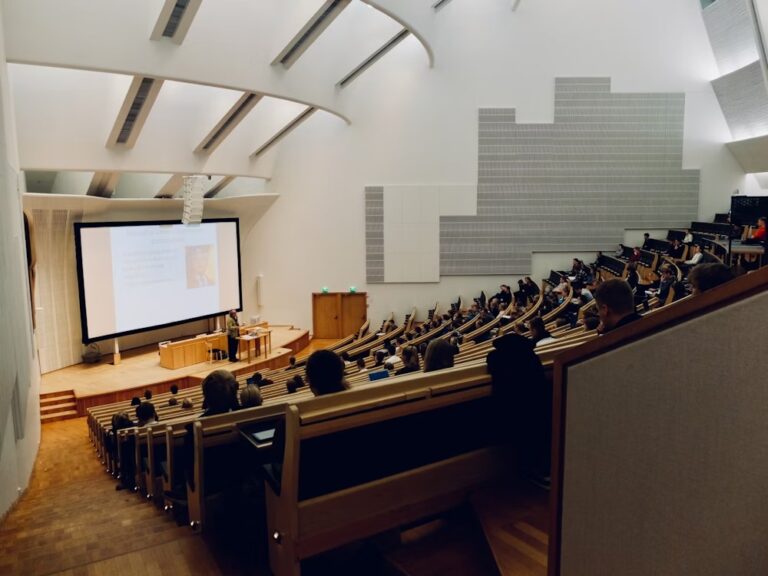
- Education: Guest lecturers joining from anywhere, supported by purpose-built classroom and lecture theatre setups
- Construction: Virtual site inspections with off-site engineers
We’ve seen some genuinely creative applications here. One of our NHS Trust clients uses high-zoom camera setups for remote dermatology consultations, allowing specialists to examine patients in detail without either party needing to travel. An architecture practice we work with runs virtual design reviews where off-site partners can zoom into fine detail on building plans displayed on a 75-inch interactive screen.
These specialist applications often require specialist hardware. High-zoom cameras for detailed technical inspections. Integration with specific diagnostic equipment. Bespoke audio configurations for lecture theatres.
A one-size-fits-all solution simply won’t cut it. These use cases demand a detailed consultation to understand the unique workflows involved and design something that actually fits.
10. Streamline Workspace Management
In a hybrid workplace, there’s a question that comes up every single day: “Which rooms are free, and are they set up properly?”
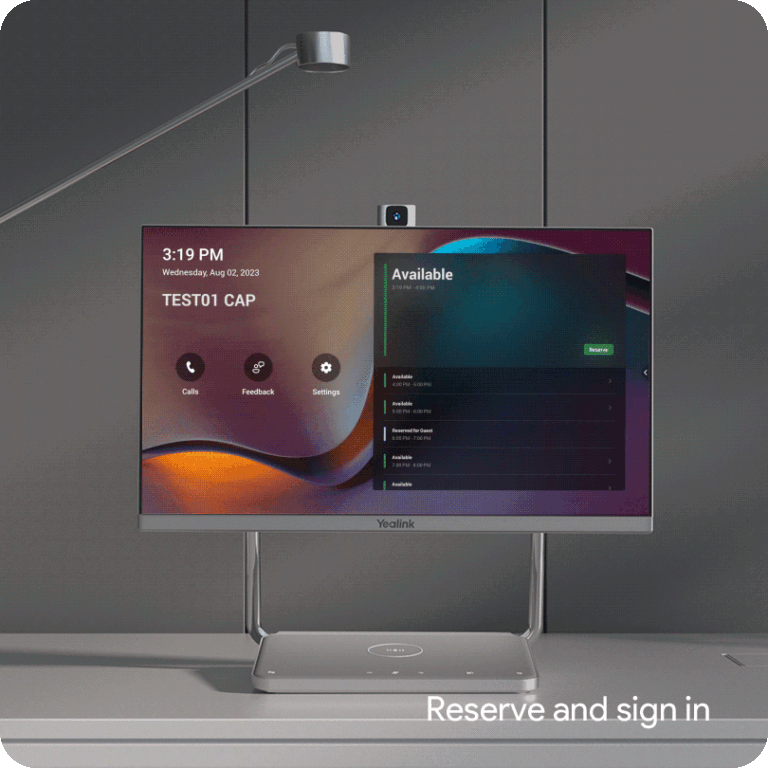
Integrating your communication tools with room and desk booking systems creates a smarter, more efficient office environment. Employees can book a room and its AV resources in one simple action no guesswork, no turning up to find the kit’s already in use.
This is where AV and IT truly converge.
Platforms like Microsoft Teams Rooms or Zoom Rooms can be integrated with your existing booking systems. That gives you valuable data on room usage, helping facilities managers optimise the office layout and invest in the right types of spaces for the future.
It’s something we help clients with regularly, and the insight it provides is often surprising many organisations discover that their most expensive meeting rooms are underused, while smaller huddle spaces are consistently overbooked. That kind of data drives smarter investment decisions.
Bringing It All Together: From Technology to Strategy
As we’ve seen, the benefits of video conferencing go far beyond simple communication.
They’re strategic advantages that impact your finances, your people, your sustainability goals, and your competitive position.
But and this is the crucial bit these benefits don’t come from simply buying a webcam and a licence.
They come from a cohesive strategy. One where the technology is perfectly aligned with your spaces, your platforms, and your people’s actual workflows.
That’s where a specialist, vendor-agnostic consultant becomes invaluable. Instead of pushing a particular brand, our process starts with your challenges and your goals. We analyse your workspaces, understand your team’s workflows, and design a seamless, unified solution that delivers real results.
From the initial acoustic survey to the final installation, training, and ongoing support we handle the lot.
Ready to Get Started?
Investing in a professional video conferencing solution is an investment in a more productive, flexible, and resilient organisation.
And the first step is simpler than you might think.
A 15-minute conversation can often highlight challenges and opportunities you hadn’t even considered. No sales pitch. No obligation. Just a straightforward chat about what you need and how to get there.
Ready to unlock these benefits for your business?
Book Your Free Consultation Here