Meeting Room Booking Systems

Modern meeting rooms are under more pressure than ever. Teams are hybrid. Spaces are limited. And half the time, the room someone has “booked” is either empty… or mysteriously double-booked.

A meeting room booking system fixes that.

It gives your teams a simple way to find and reserve the right space in seconds, and gives management clear data on how your rooms are really being used. Paired with the right hardware and installation, it removes the friction from booking and frees your people to get on with their jobs.

Book your free consultation with an expert

Free expert consultation
Book Now

Product installation

Products can be professionally installed

Aftercare

Experts on-hand ready to help if problems arise

Training

Get staff trained up to ensure faster technology adoption

What is a Meeting Room Booking System?

A meeting room booking system is a combination of software and hardware that manages how your rooms are reserved and used. Typically, it includes:

  • Room booking software – cloud or on-premise platforms that connect to your calendar (e.g. Microsoft 365/Exchange, Google Workspace) so users can book rooms from Outlook, Teams, Google Calendar, a browser or mobile app.
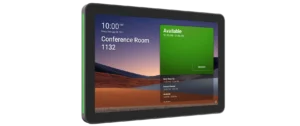
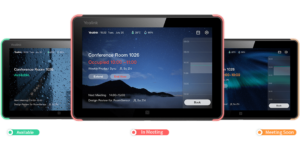
  • Room booking hardware – touch panels outside each space showing live availability, upcoming meetings and allowing walk-up booking and check-in.
  • Reporting & analytics – admin dashboards showing no-shows, peak times, and which rooms are under- or over-used.

Done properly, a room booking system:

  • Stops double bookings and no-show rooms.
  • Makes it obvious which spaces are free right now.
  • Helps you right-size your meeting room estate and reduce wasted real estate.
  • Integrates with your video conferencing platforms, so room and call bookings work as one.

How a Room Booking System Works

From an employee point of view, the system should feel almost invisible. The booking experience usually looks like this:

  • 1. Search & book in tools they already use
    Staff search for a room by time, capacity, location or equipment (e.g. “Teams room for 6 people at 2pm”) in Outlook, Teams or Google Calendar.
  • 2. Instant confirmation
    They see only rooms that are actually available. They pick one, send the invite, and the booking appears on everyone’s calendar and on the room display outside the door.
  • 3. Walk-up booking and check-in
    If someone needs a space on the fly, they tap the panel outside the room, see how long it’s free for, and reserve it there and then. They can also check in so the system knows the room is in use.
  • 4. Auto-release for no-shows
    If nobody checks in within a defined window, the system can release the room back into the pool, so it doesn’t sit “booked” but empty.

Result: your people stop hunting for rooms or arguing over who booked what. They can see availability instantly and get on with the meeting.

IT & Administration Control

Behind the scenes, the system gives your facilities management and IT teams the controls and visibility they need:

  • Central administration – manage spaces, permissions and booking rules from a single console.
  • Policy controls – set rules for maximum meeting lengths, advance booking windows, auto-release times, and who can book certain rooms.
  • Usage analytics – see which rooms are always full, which are barely used, and how many bookings are no-shows.
  • Integration with AV & VC – tie room booking into Teams Rooms, Zoom Rooms, Webex and other systems so starting a video meeting is as simple as tapping “Join”.

That data lets you make evidence-based decisions about your meeting spaces – from reconfiguring room layouts to reducing real estate if areas are consistently underused.

Room Booking Software

There are two main types of room booking software we typically work with:

Calendar-native solutions

These build directly on tools you already use every day, such as:

  • Microsoft 365/Exchange & Microsoft Teams
  • Google Workspace (Gmail & Google Calendar)
    Here, rooms are treated as resources in your calendar system, and your staff never need to learn a new interface – they simply add the room to the meeting invite.

Dedicated room & workspace management platforms

These specialist platforms add extra capabilities on top of your existing calendar, such as:

  • Advanced rules for hot-desking and flexible spaces
  • Visitor and reception workflows
  • Digital signage and wayfinding
  • Richer analytics and dashboards

How VideoCentric helps you choose

We can:

  • Audit what you already have – e.g. Microsoft 365, Google Workspace, Zoom or Webex licences.
  • Map out your requirements – number and type of rooms, visitor flows, hot desking, multiple sites, security & compliance.
  • Shortlist and demo options – from calendar-native setups to full workplace experience platforms.
  • Design a solution that fits your stack – so your booking software plays nicely with your identity, security and collaboration tools.

You get independent advice and a recommendation that’s based on your environment and goals – not on which vendor shouts loudest.

Room Booking Hardware

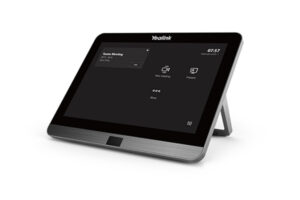
Room booking hardware brings your software to life, with touchscreen panels outside each room showing live availability and enabling walk-up booking, LED status indicators that can be seen from down the corridor, and optional central signage that highlights which spaces are free across a floor or building. VideoCentric supplies and supports a carefully curated range of room scheduling devices from leading brands such as Yealink, Logitech and GoBright, so you get reliable, well-integrated hardware that feels simple and intuitive for staff and visitors to use.
Hot Desk Booking Solutions

Give your hybrid teams an easy way to find a desk, avoid clashes and see who’s in and when. Discover our Desk Booking Solutions that plug straight into your existing calendars and collaboration tools.

Installation Services

Choosing great software and hardware is only half the story. For a booking system to “just work”, it has to be installed, configured and tested properly. That’s where VideoCentric’s engineering team comes in. We can:

  • Survey your sites – confirm locations, network points, power, mounting options, signage and accessibility.
  • Design the solution – panel locations, cabling routes, PoE requirements, switch capacity and Wi-Fi considerations.
  • Install and commission all hardware – mounting panels, pulling and terminating cables, integrating with your existing AV kit and video conferencing systems.
  • Configure the software – connect to your calendar system, apply booking rules, set up rooms, zones and user permissions.
  • Test the end-to-end workflow – from “book in Outlook/Google” through to room status, auto-release and in-room join buttons.
  • Train your teams – easy to follow walk-throughs for staff, plus deep admin training for IT, facilities and reception.

At the end of the project, you’re left with a fully working, battle-tested room booking system that your teams can rely on from day one. And if you want ongoing peace of mind, we can wrap the whole solution in maintenance, monitoring and support.

Compatibility: Outlook, Google, Teams & Zoom

Your teams already uses tools like Outlook, Teams, Google Calendar and Zoom. A good room booking system shouldn’t force them to change that – it should enhance it. VideoCentric designs systems that:

  • Integrate directly with Microsoft 365/Exchange and Teams
    Book the room from an Outlook or Teams invite. See the booking instantly on the room panel and in the Teams room system.
  • Work seamlessly with Google Workspace
    Rooms appear as resources in Google Calendar. Staff can search, filter and book rooms from web or mobile.
  • Tie into Zoom Rooms and other VC platforms
    Schedule the room and the Zoom meeting in one go. Use one-touch join on the in-room controller when the meeting starts.

Because we also design and install your video conferencing solution, we can make sure room booking, room control and VC all feel like one unified experience for your users – not three separate systems bolted together.

Why Choose VideoCentric

We live and breathe video communications. We don’t approach room booking as an isolated discipline – we approach it through the lens of complete online and offline collaboration.

From initial planning through to a final working system, and beyond, we’re with you every step of the way.

Here’s some more information about us:

  • Established in 2001 with 20+ years of expertise
  • Fully in-house AV engineers — no outsourcing
  • Nationwide coverage across the UK
  • Award-winning maintenance and aftercare
  • Access to every major AV brand and side-by-side demos
  • G-Cloud, Cyber Essentials and ISO-accredited for compliance-critical environments
Call Now